Jogging or Straight? Decode the Four Color-and-Cut Options on These Fleece Pants
The Color menu actually combines two decisions: Grey or Black, and Jogging Pants or Straight Pants. Pick the cut first, then the color, and finally choose one of the seven listed sizes from S through 4XL.
What are the four combined option labels?
The active Comfortable Unisex Fleece Jogging Pants listing names Grey (Jogging Pants), Black (Jogging Pants), Grey (Straight Pants) and Black (Straight Pants). Because cut is nested inside the Color selector, selecting “Black” is not enough; the complete parenthetical label matters.
| Cut label | Grey choice | Black choice |
|---|---|---|
| Jogging Pants | Grey (Jogging Pants) | Black (Jogging Pants) |
| Straight Pants | Grey (Straight Pants) | Black (Straight Pants) |
Which sizes are listed?
The Size menu lists S, M, L, XL, 2XL, 3XL and 4XL. Those labels show availability choices, not garment measurements or a fit promise. Use any current chart on the product page and compare it with your own measurements before selecting.
How should you audit the final selection?
- Choose Jogging Pants or Straight Pants.
- Choose Grey or Black within that cut.
- Select S–4XL separately.
- Confirm the full color-and-cut label plus the size in the cart.
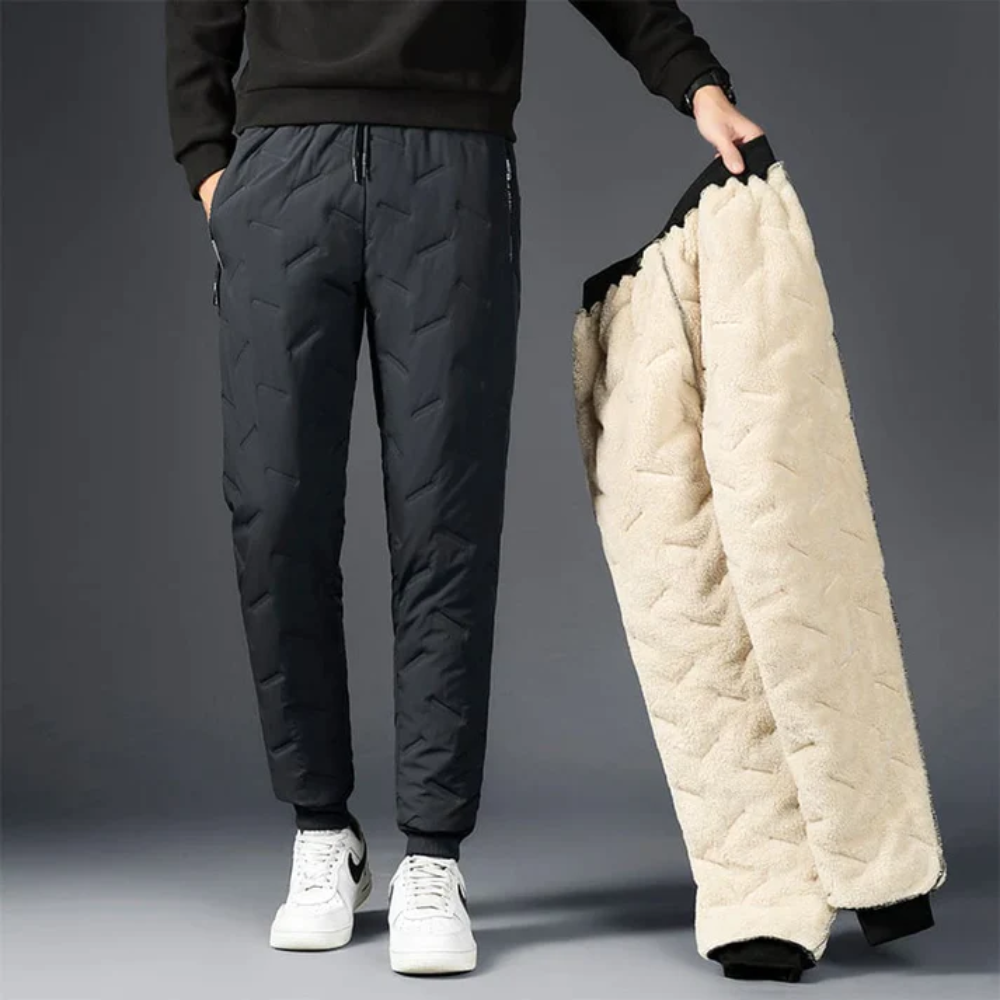
The attached image depicts the black jogging-style option and a light inner surface being shown. It does not show the straight cut, so use the live variant image rather than this single photo when comparing silhouettes.